
Grok AI
xAIProductivity
4.953.17K Reviews
- Version
- 1.2.57-release.01
- Installs
- 100.00M
- Age Rating
- Teen
Screenshots
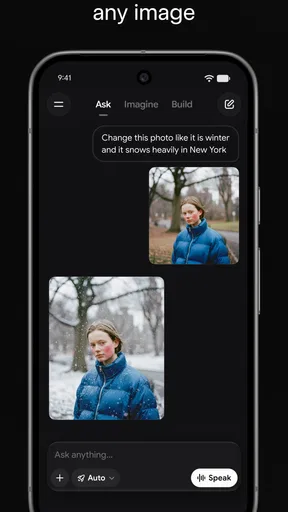
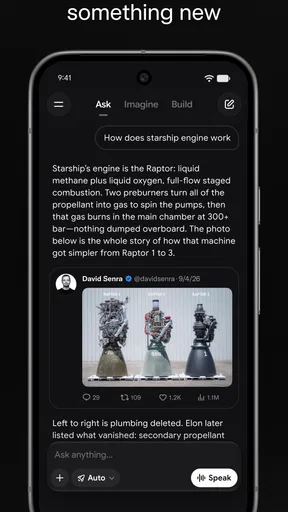
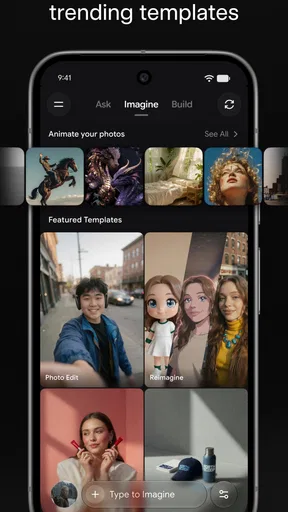
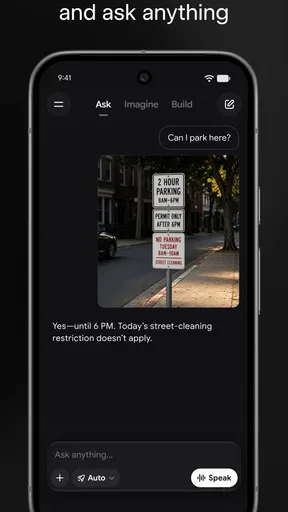
Our Review of Grok AI
 Analysis by Appyee
What matters to me with an AI app isn’t whether it feels impressive in the first few minutes; it’s whether I still have a reason to open it once the novelty wears off. Grok • Smartest AI Advisor is most appealing when I treat it as a flexible place to ask questions, explore a topic, or get a first draft of an idea—not as a replacement for every app I already use.
Why the first week feels useful
In the first few days, the range of possible questions is the draw. I can use a single chat-style tool to get a plain-language explanation, ask for a different angle, or turn a vague thought into a more focused question. That low setup effort makes it easy to try during small gaps in the day, especially when I don’t yet know which search terms would lead me to a good answer.
A practical way to test it is to bring one real task rather than ask a string of novelty questions. For instance, if I’m planning a weekend meal, I might ask for a few dinner ideas based on ingredients I already have, then follow up about substitutions or how to organize the preparation. The value is in the back-and-forth: I can refine the request instead of restarting a web search every time my needs change.
Its connection to real-time information from X gives the app a different role from a general reference tool. That can be useful when I want a quick sense of what people are discussing around a current event or topic. I still treat fast-moving claims as leads, not settled facts. For health, money, legal matters, or anything with consequences, I would check dependable sources before acting on an answer.
Turning quick answers into a lasting habit
The app is a productivity tool from xAI, and that framing makes the most sense to me when I use it to reduce small bits of friction: clarifying an unfamiliar term, outlining questions before a meeting, or getting a rough structure for a message I need to write. Those jobs recur, so they offer a more durable reason to keep the app around than occasional curiosity alone.
It is free to install, and its Teen age rating makes it available to a broad audience, though that should not be mistaken for a guarantee that every generated answer is suitable or correct. The app has a 4.9 average from around 1.8 million ratings and has passed 50 million installs. Those figures show substantial uptake, but popularity doesn’t tell me whether an answer is right for my particular situation.
For a more useful routine, I try to give context that changes the answer: who the result is for, what constraints matter, and whether I want a short explanation or a detailed plan. I also ask it to separate what it knows from what it is assuming. That won’t make every response reliable, but it can make weak spots easier to notice and gives me a better starting point for checking important details.
Where it fits—and where it doesn’t
I use this section to draw a practical line between Grok’s value as a conversational thinking aid and the jobs better handled by search, notes, or specialist tools. The useful test is not how many kinds of questions it can answer, but whether it earns a repeat visit without adding more checking and cleanup than the task is worth.
Maintenance, trade-offs, and alternatives
The upkeep is light: I don’t need to build a complicated system before asking a question. The more meaningful maintenance is my own judgment. I have to decide when a quick AI response is enough, when to verify it, and when a human expert or a dedicated tool is the better choice. That boundary matters more than any polished interface.
Compared with a conventional search engine, Grok is more suited to follow-up questions and turning an open-ended request into a conversational exchange. Search is still the better option when I want to inspect several original sources directly, compare them myself, or find an exact page. Compared with a notes app or task manager, Grok can help me think through a plan, but it is not a substitute for a dependable place to store commitments and track them over time.
There are trade-offs, too. A fluent answer can sound more certain than the evidence deserves, and an AI can miss the point if my prompt leaves out an important constraint. Real-time discussion can be lively but uneven, so it isn’t the same as careful reporting. I also wouldn’t choose it as my main tool for work that depends on a fixed, auditable workflow. If I need precise source trails, stable records, or a specialist feature, a purpose-built service is a better fit.
Who will keep coming back
I think it is a good match for curious people who ask lots of small questions, want help getting unstuck, or like exploring current topics without switching between several tools immediately. It can also suit someone who wants to draft an outline before doing the more demanding work themselves. The strongest habit is a modest one: ask it to help with a recurring, low-stakes task, then check whether it genuinely saves time instead of adding another feed to browse.
It is less compelling if I mainly want a traditional news reader, a searchable archive of trusted articles, or a tool that guarantees every answer is sourced and verified. It may also be a poor choice for anyone who finds conversational AI distracting or would rather do a focused web search than refine a prompt. In those cases, the familiar alternative may be faster and easier to trust.
What to consider before relying on it
The current version is 1.0.93-release.00, and the app is free with in-app purchases ranging from around thirty to three hundred dollars per item. I would start with the free experience and judge it against tasks I actually repeat before considering a purchase. The right question isn’t whether premium access sounds appealing in theory; it’s whether the specific extra value matters enough in my routine to justify the cost.
For everyday use, I’d also keep requests focused and avoid treating the chat as a private diary or a place to paste sensitive material without thinking it through. That is sensible caution with any online AI service. When an answer includes a claim that could affect a decision, I look for a source I can inspect rather than relying on a confident tone. For casual brainstorming, a rough answer may be plenty; for consequential choices, it is only a starting point.
A fair test after the novelty fades
If I were deciding whether to keep it installed, I’d give it a simple week-long test: use it for a few recurring tasks, note when it saves a step, and notice when I end up opening another tool anyway. A useful example is preparing for a busy day: ask for a concise checklist from a set of errands, then compare that with the calendar or task app where the actual appointments live. Grok can help organize thinking, while the dedicated tool remains the place to manage the commitments.
That separation keeps expectations realistic. I don’t need an AI assistant to do everything; I need it to make a handful of common tasks easier without creating extra checking or cleanup. If it helps me understand a topic, shape a draft, or explore a live discussion, it has a clear role. If I find myself opening it only because it is new, or repeatedly correcting answers that miss essential context, the habit probably isn’t earning its place.
First Impressions
Upon opening Grok • Smartest AI Advisor, I was greeted by a clean and intuitive interface. It's not overstuffed with options or flashy graphics, which is a huge plus in my book. I always appreciate an app that keeps things straightforward, allowing me to dive right into what it offers without a learning curve.
Features That Stand Out
One of the first things I noticed was how the app integrates effortlessly with various platforms. Whether you're using it on Android or iOS, the experience is seamless. The app's core function is to provide quick, smart advice on almost any topic. Whether it's understanding a new tech trend or getting tips on healthy living, Grok's got your back.
Another highlight for me was the personalized feed. As someone who's constantly juggling multiple interests, the app's ability to tailor content specifically for me was impressive. It's like having a curated magazine that updates in real-time based on my preferences and previous interactions.
Using Grok in Daily Life
So, how does this app fit into my daily routine? Well, it's perfect for those moments when I'm waiting in line or have a few minutes to spare. Instead of mindlessly scrolling through social media, I find myself diving into insightful articles and quick reads recommended by Grok.
Plus, the app's AI-powered suggestions are genuinely helpful. It doesn't just throw random articles at you; it analyzes your interests and delivers content that's both relevant and engaging. It's like having a conversation with a well-read friend who always has something interesting to share.
Final Thoughts
All in all, Grok • Smartest AI Advisor has quickly become a staple on my phone. It's an app that not only keeps me informed but does so in a way that's enjoyable and efficient. If you're looking for a smarter way to consume content and learn on the go, this app is definitely worth checking out.
So, next time you're looking for a way to make the most of your downtime, give Grok a try. It's a small change that could make a big difference in how you engage with the world.
Privacy and Permissions
See what permissions an app requests and how it handles your data.
- Calendar
- read calendar events plus confidential information, add or modify calendar events and send email to guests without owners' knowledge
- Contacts
- read your contacts
- Location
- approximate location (network-based)
- Photos/Media/Files
- read the contents of your USB storage, modify or delete the contents of your USB storage
- Storage
- read the contents of your USB storage, modify or delete the contents of your USB storage
- Camera
- take pictures and videos
- Microphone
- record audio
- Other
- view network connections, change network connectivity, full network access, change your audio settings, run at startup, control vibration, prevent device from sleeping, set an alarm, Google Play license check
How Grok AI Compares
Full ComparisonChoose Gemini for Google service integration, ChatGPT for its broad, highly rated assistant experience, or Grok for answers linked to real-time information from X.
| App | Developer | Rating | Price |
|---|---|---|---|
 Google Gemini | Google LLC | 4.5 | Free |
 ChatGPT | OpenAI | 4.8 | Free |
 Grok AIThis App | xAI | 4.9 | Free |
Verdict
Strengths of Grok AI
- Intuitive user interface
- Quick, accurate responses
- Customizable advice settings
- Integrates with multiple apps
- Low resource consumption
Limitations of Grok AI
- Limited offline functionality
- Subscription required for premium
- Occasional minor bugs
- No voice command support
- Limited language options
Similar Picks in This Category
View All
Google Calendar
Google LLC4.6

Google Drive
Google LLC4.3

Google Assistant
Google LLC3.9

Microsoft OneDrive
Microsoft Corporation4.6

Samsung Calendar
Samsung Electronics Co., Ltd.4.1

Microsoft OneNote: Save Notes
Microsoft Corporation4.6
Frequently Asked Questions
What is Grok and how does it work?
Grok is an AI-powered advisor designed to provide users with personalized insights and solutions. It uses advanced algorithms to analyze user input and offer recommendations based on your preferences and needs. Whether you're seeking advice on personal matters or professional projects, Grok aims to deliver intelligent and tailored guidance.
Is Grok available on both Android and iOS platforms?
Yes, Grok is available for download on both Android and iOS devices. You can find the app on the Google Play Store for Android users and the Apple App Store for iOS users. Ensure your device meets the minimum system requirements for optimal performance and a seamless experience.
Does Grok require an internet connection to function?
Yes, Grok requires a stable internet connection to access its AI capabilities and provide real-time advice. The app needs to connect to its servers to process data and offer up-to-date insights. Make sure you have a reliable connection to ensure the app functions smoothly.
Is my personal data safe with Grok?
Grok prioritizes user privacy and data security. The app employs robust encryption methods to protect your personal information. Additionally, it adheres to strict privacy policies to ensure your data is not shared with third parties without your consent. Always review the app’s privacy policy for detailed information.
Are there any subscription fees for using Grok?
Grok offers a free version with basic features, but users can opt for a premium subscription to access advanced functionalities. The premium version includes enhanced AI capabilities and personalized insights. Subscription fees vary, so check the app for current pricing and available packages.
